
Calorie API: How to Add Barcode Nutrition Lookup to Your Fitness App
Food logging is the feature users ask for right after workout tracking, and it is the one most teams postpone because nutrition data is hard to source. This guide shows how to add barcode scanning and food search with calories and macros for 3.4 million packaged foods, using one REST call and the same API key you use for exercises.
verified Published by the WorkoutX team — builders of the exercise API used by fitness app developers. Learn more
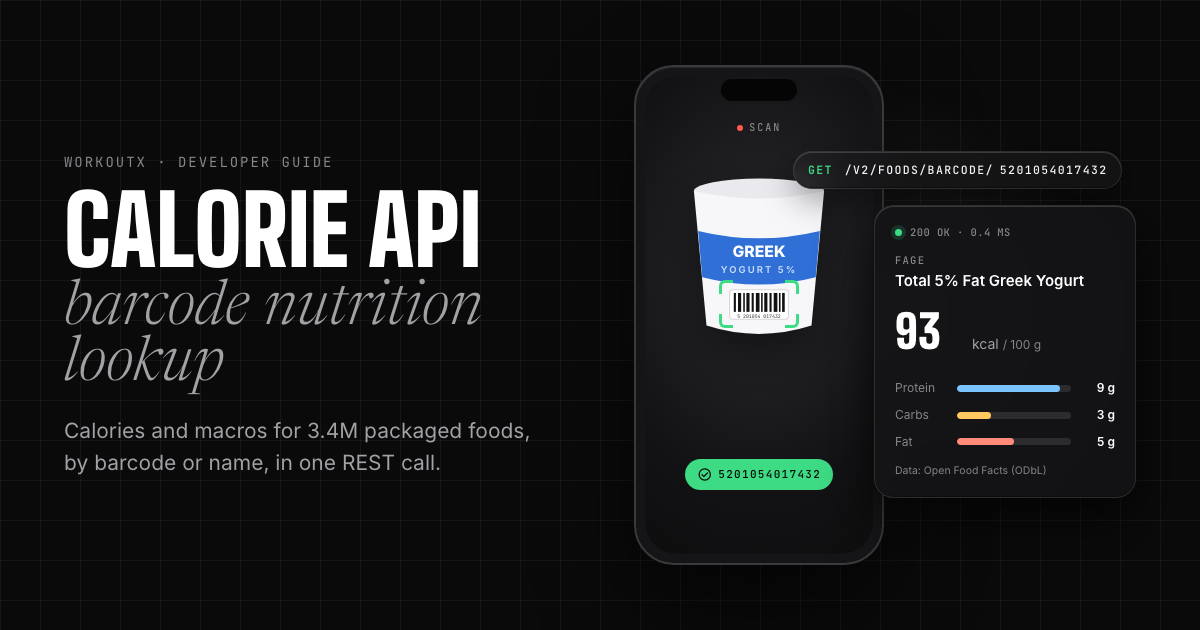
The WorkoutX Calorie API returns calories, protein, fat, saturated fat, carbs, sugars, fiber and salt for 3.4 million packaged foods. Look a food up by barcode at /v2/foods/barcode/{code} or search by name at /v2/foods/search?q=. Values come per 100 g and per serving. It is included in Growth (100,000 calls a month) and Scale (500,000), on its own allowance separate from your request quota. Data comes from Open Food Facts under the ODbL, so show a short credit in your app.
What is a calorie API?
A calorie API (also called a nutrition API or food database API) takes a food, either its barcode or its name, and returns its nutrition facts as JSON: energy in kcal and the macronutrients your users track. Apps use it so people can log a meal in a few seconds instead of typing numbers from a label.
The WorkoutX Calorie API covers 3.4 million packaged foods, filtered from the Open Food Facts database: products without a name or calories, and entries with impossible values (more than 900 kcal per 100 g, or macros that add up to more than the food itself), are left out. Every food has calories per 100 g, and 98% have full protein, carbs and fat.
How barcode nutrition lookup works
The flow in a food logging screen has three steps:
- Scan. The phone camera reads the barcode on the package: an EAN-13 in most of the world, a UPC-A in the US, or an EAN-8 on small items.
- Look up. Your app sends the digits to
GET /v2/foods/barcode/{code}. A 12-digit UPC-A also finds its 13-digit EAN form, so you do not have to convert codes yourself. - Log. Show the calories and macros, let the user pick an amount, and save it to their diary. If the barcode is not in the database, the API answers 404, and you fall back to a name search.
Look up a food by barcode
Send your API key in the X-WorkoutX-Key header:
curl "https://api.workoutxapp.com/v2/foods/barcode/5449000000996" \
  -H "X-WorkoutX-Key: wx_your_key"
This is the real response for a 330 ml can of Coca-Cola (shortened):
{
  "barcode": "5449000000996",
  "name": "Coca-Cola",
  "brand": "COCA-COLA SERVICES SA/NV",
  "nutritionPer100g": {
    "calories": 44, "protein": 0, "fat": 0, "saturatedFat": 0,
    "carbs": 10.9, "sugars": 10.9, "fiber": null, "salt": 0
  },
  "serving": {
    "label": "1 portion (330 ml)",
    "grams": 330,
    "nutrition": { "calories": 145.2, "carbs": 35.97, "sugars": 35.97, ... }
  },
  "attribution": { "source": "Open Food Facts", "license": "Open Database License (ODbL) 1.0", ... }
}
nutritionPer100g is always there (per 100 ml for drinks). When the label states a serving size, serving gives its label, its weight in grams and the same nutrients for one serving, already calculated. A value is null when the label does not give it, so show it as unknown rather than zero.
Search foods by name or brand
Not every product has a barcode at hand. GET /v2/foods/search?q= matches every word against the name and brand, and returns the most scanned products first, up to 25 per call:
curl "https://api.workoutxapp.com/v2/foods/search?q=greek%20yogurt&limit=3" \
  -H "X-WorkoutX-Key: wx_your_key"

# results (real values per 100 g):
#   Yogurt Greek Style · Pilos                         121 kcal
#   Creamy Greek Style Natural Yogurt · Milbona        126.4 kcal
#   Total 5% Fat Greek Yogurt · FAGE                   93 kcal · 9 g protein
Names stay in the language on the package, so a search for ülker gofret finds Ülker's Çikolatalı Gofret (543 kcal per 100 g, 195 kcal per 36 g bar). Add a brand or a type to narrow a broad query: milk matches tens of thousands of products, oat milk alpro finds the one your user is holding.
Add it to your app
A minimal food lookup in JavaScript, with the 404 fallback and the per-serving values:
const API = 'https://api.workoutxapp.com/v2/foods';
const headers = { 'X-WorkoutX-Key': process.env.WORKOUTX_KEY };

export async function lookupFood(barcode, nameFallback) {
  let res = await fetch(`${API}/barcode/${barcode}`, { headers });
  if (res.status === 404 && nameFallback) {
    res = await fetch(`${API}/search?q=${encodeURIComponent(nameFallback)}&limit=5`, { headers });
    const { results } = await res.json();
    return results[0] ?? null;
  }
  if (!res.ok) throw new Error(`Calorie API ${res.status}`);
  return res.json();
}

// kcal for the amount the user ate
export const kcalFor = (food, grams) =>
  Math.round((food.nutritionPer100g.calories * grams) / 100);
Keep your API key on your server, not in the app bundle. Barcode responses can be cached for a day and searches for an hour (the API sends Cache-Control headers), because the data only changes at the monthly refresh.
Calories in and calories out
Most fitness apps need both sides of the balance. The same API key also estimates calories burned for any of 1,900+ exercises from MET values, body weight and time:
curl "https://api.workoutxapp.com/v2/exercises/ex_KK4RJV/calories?weightKg=70&minutes=30" \
  -H "X-WorkoutX-Key: wx_your_key"

# { "name": "Push Ups Bodyweight", "met": 5, "kcalPerMin": 6.1, "totalKcal": 183, ... }
So a user who logged a FAGE yogurt (93 kcal per 100 g) and did 30 minutes of push-ups (183 kcal) sees both in one diary, from one provider. Pair it with the AI workout generator to plan the next session.
Limits and pricing
The Calorie API is included in Growth ($39 a month) with 100,000 calls and Scale ($79 a month) with 500,000 calls, plus custom limits on Enterprise. These calls have their own monthly allowance: they do not use your request quota, so food logging never eats into your exercise calls.
- Every response carries
X-Food-Quota-Limit,X-Food-Quota-RemainingandX-Food-Quota-Reset. - The allowance starts over on the first day of each month (UTC). Past it, the API answers 429 with the reset date, and your exercise requests keep working.
- A very broad name search can answer 503 with
Retry-After; add a word or use the barcode.
Data source and attribution
Credit Open Food Facts. The food data comes from Open Food Facts, a free database built by thousands of contributors, under the Open Database License (ODbL) 1.0. Where your app shows the values, add a short line such as: Food data from Open Food Facts (openfoodfacts.org), available under the ODbL. Every API response includes an attribution object with the same details.
The API returns names, brands, barcodes and nutrition values only, no product images. If you build and publish your own database from this data, the ODbL asks you to share it under the same license.
Frequently asked questions
Is there a free calorie API?
The WorkoutX free plan covers the exercise API (500 requests in total). The Calorie API starts on Growth, which includes 100,000 food calls a month for $39, with no extra fee per call.
How accurate is barcode nutrition data?
Values come from product labels entered by Open Food Facts contributors. We remove entries with missing calories or impossible values, but labels can contain typos, so let users correct an entry when it looks wrong.
Which barcodes are supported?
EAN-8, UPC-A, EAN-13 and GTIN-14. A 12-digit UPC-A also finds the same product stored as a 13-digit EAN.
Can AI agents use the Calorie API?
Yes. The WorkoutX MCP server has search_foods and get_food_by_barcode tools, so Claude, Cursor, ChatGPT and other MCP clients can look up calories with your API key.
Get started
Try it: see real responses on the Calorie API page, read the endpoint details in the API reference, and pick a plan on the pricing page.